Mindwind

Mobile Application • Case Study (Solo project)
A digital platform improving access to therapy by providing personalised therapist matches utilising specific user needs and preferences.
MY ROLE
Solo Product Designer
(UX Design, UI Design,
UX Research)
DURATION
7 months

TOOLS
Figma
Notion
Google Forms
Usability Hub
Lucid Chart
Optimal Workshop
Google Meet
Adobe Illustrator
Adobe Photoshop
METHODOLOGIES
Competitive Analysis
User Survey
User Interviews
Affinity Mapping
User Flow
Wireframing
Prototyping
Usability Testing
Preference Testing
TRY PROTOTYPE
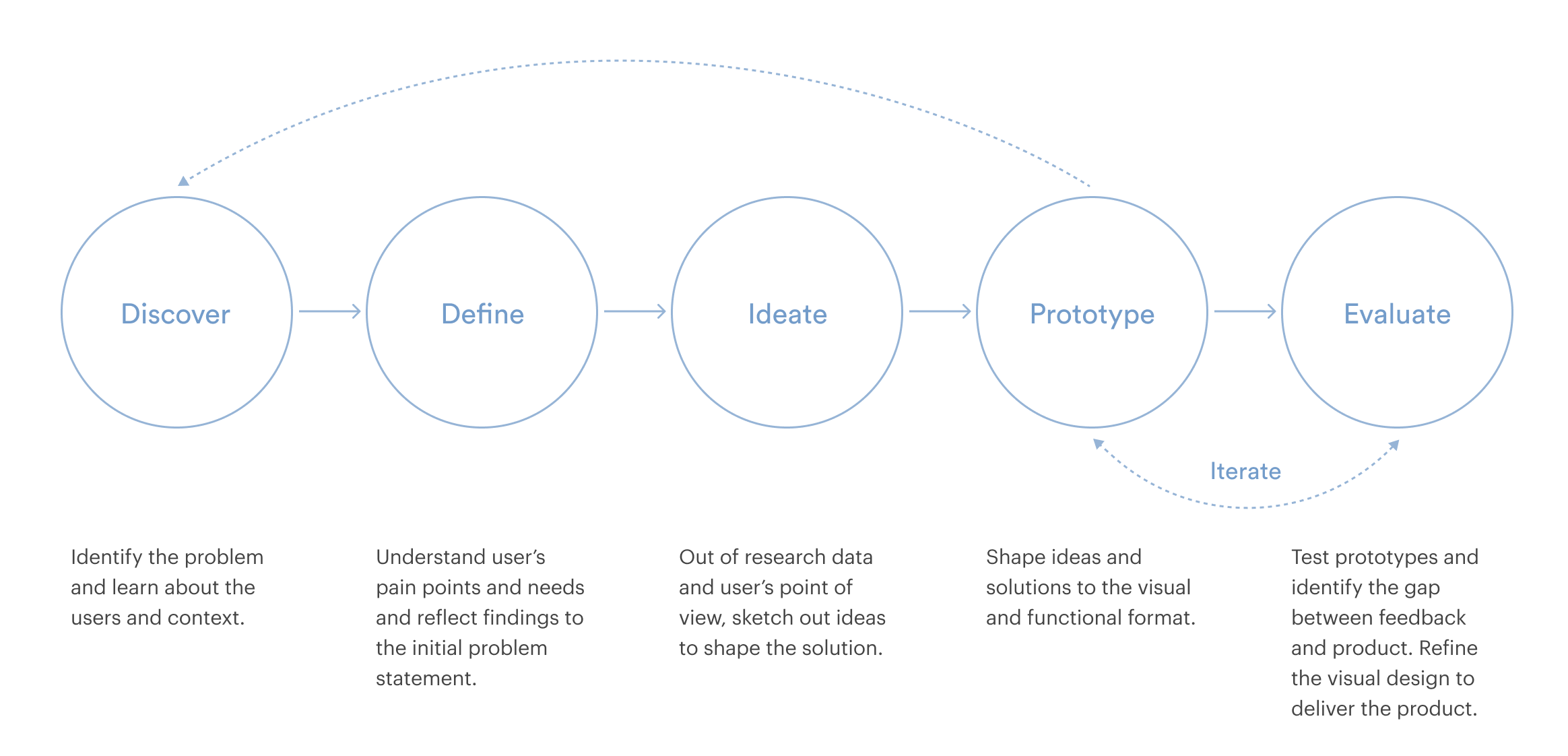
design process

01 Discover

Overview
25% of people in the UK experience a mental health issue but struggle to see therapists due to various constraints and barriers, which results in only 12% of them getting treatment or having to wait for up to a year, negatively affecting mental well-being. 

Moreover, COVID-19 hit the world in 2020; mental health issues became more prevalent. The Centre for Mental Health has predicted that up to 10 million people in England, almost a fifth of the population, will need mental health support as a direct consequence of COVID-19.

problem statement

"How might we make therapy more accessible, comfortable and convenient for an increasing number of people in such difficult times?"
user survey
I conducted a user survey to discover the factors preventing people from receiving therapy when it was needed and also to identify desirable features for a therapy platform.
136
Participants
87%
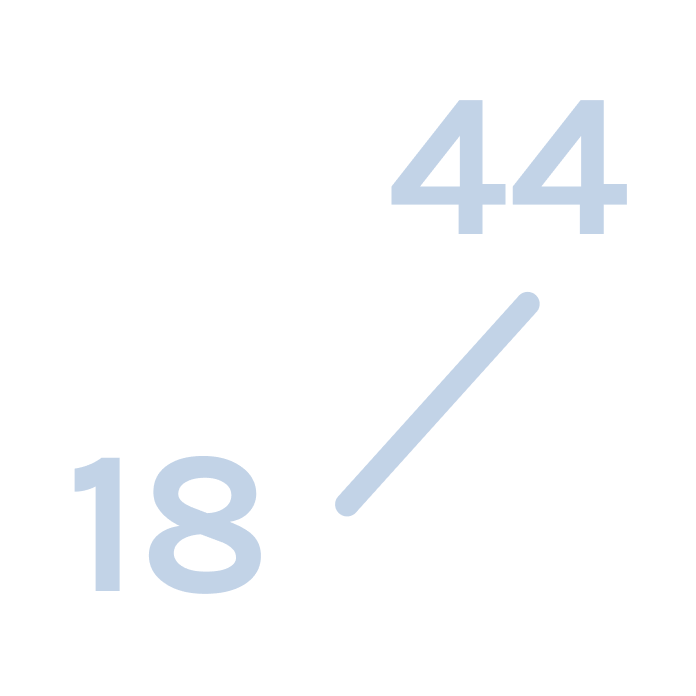
Age range between 18 and 44
35%
Identify themselves as LGBTQIA+
87%
Have experienced
therapy

key insights
Through the user survey, I found several key insights, which also helped me identify what aspects need in-depth research. The analysis of the survey results helped in designing user interview questions in the following step.
.
Top 5 reasons holding participants from receiving therapy
Overwhelmed by choosing the right therapist
61%
Talking to a therapist face-to-face feels intimidating or embarrassing
56%
Being conscious of others knowing me getting therapy
33%
Identity-related: fear of not being appropriately understood
22%
Time and distance constraints: visiting a therapist is challenging
22%
.
Preferred communication methods for online therapy
Video call
72%
Voice call
53%
Text chat
33%
Email
22%
.
Top 5 desirable features in therapy platform
Therapist recommendations based on in-depth assessment
72%
Verified information categorised by mental thealth issues
68%
Client reviews and ratings of therapists
62%
Knowing the preference of therapists
48%
Short videos of therapist talking
46%
VIEW SURVEY RESULTS
user interviews
Built with the points discovered from the survey analysis, I conducted 1:1 qualitative user interviews. The main goal of these was to better understand the target audience's experiences and the challenges of receiving therapy. To gain a holistic understanding, I recruited participants with different profiles in terms of age, occupation, background, identity and amount of therapy experience.
6 interviewees
Age range
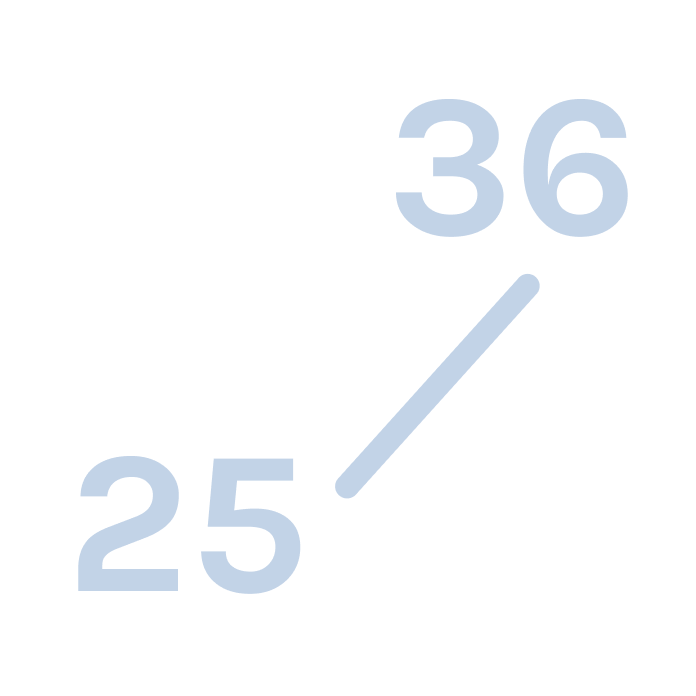
between 25 and 36
Diverse
backgrounds
& identities
.
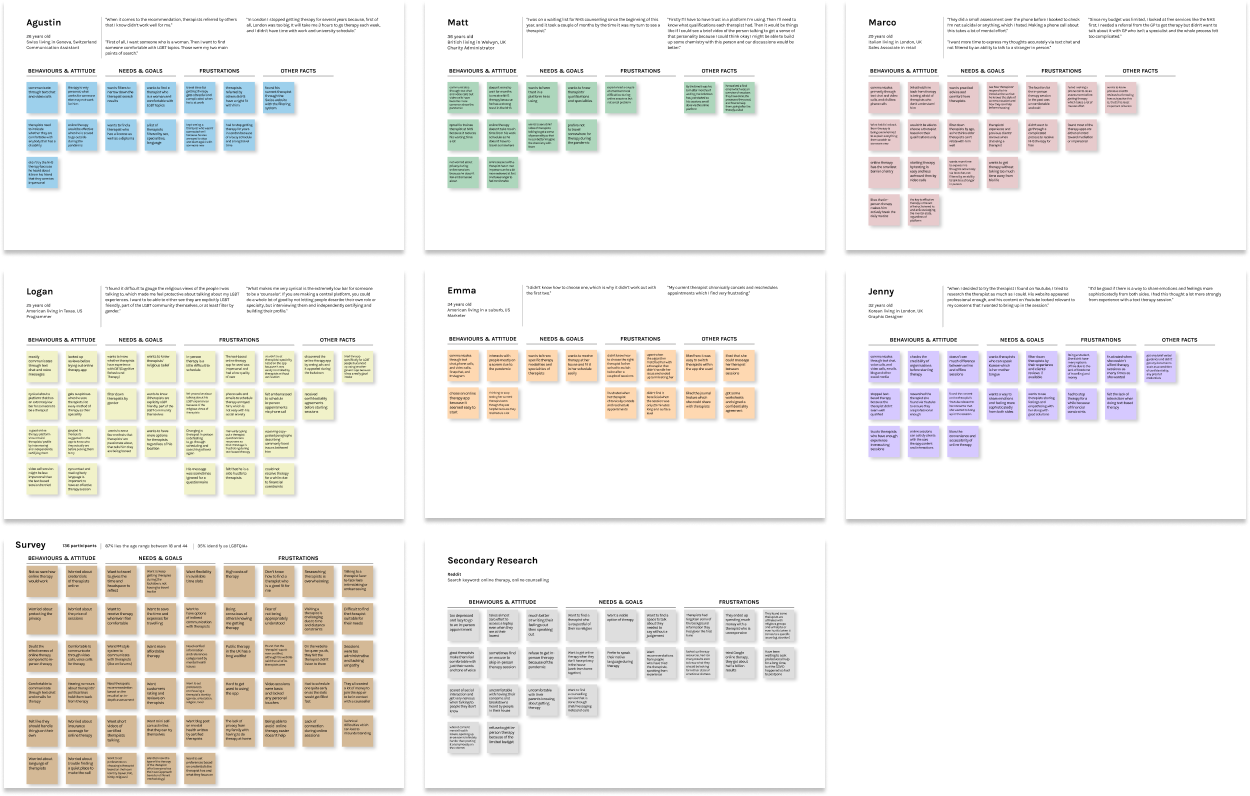
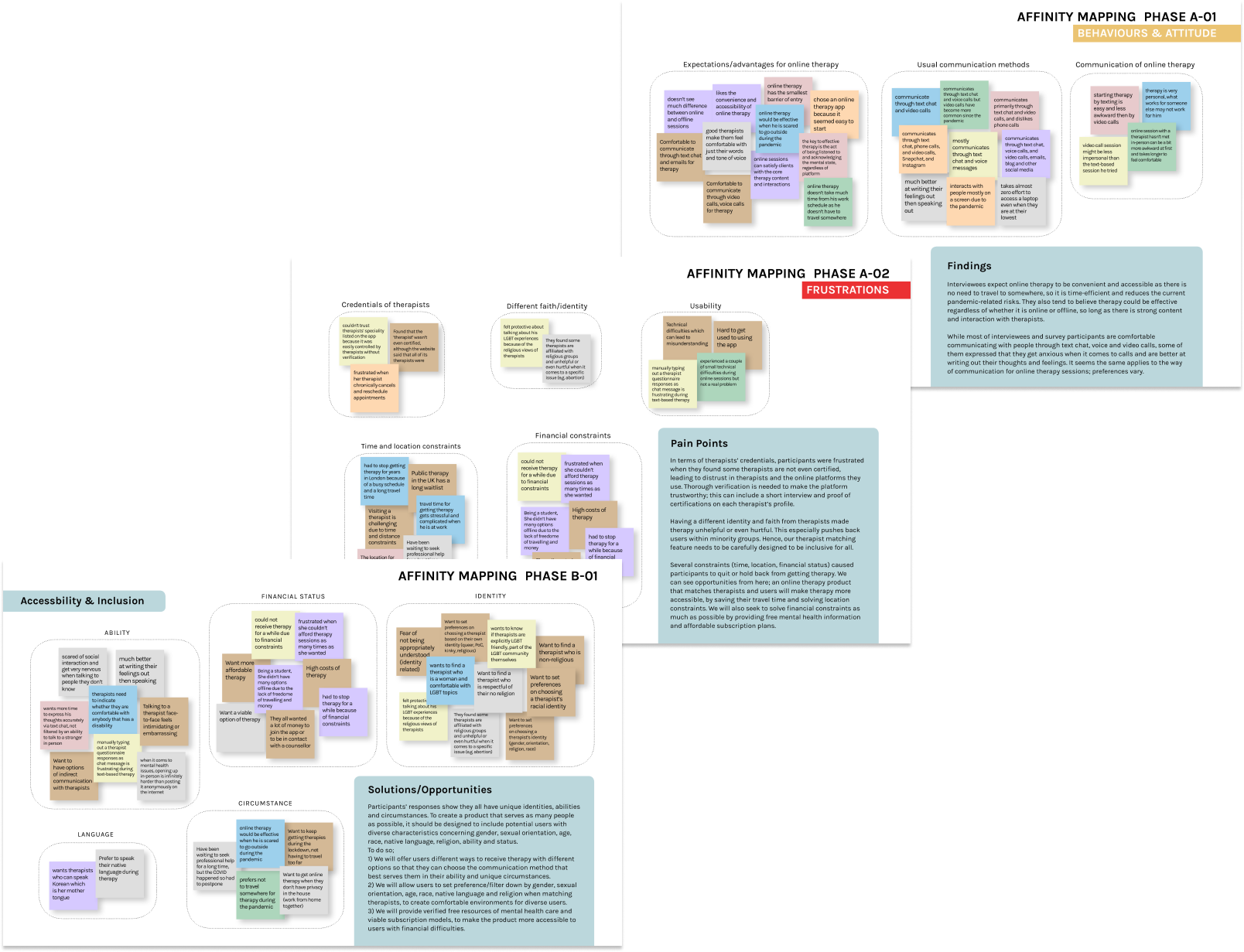
Listening to the user’s personal stories and thoughts more intimately helped me picture their real struggles and needs for a therapy experience, which wasn’t grasped by the survey. After transcribing 3 hours of user interview recordings, I created affinity maps for interview & survey results to identify key insights.
VIEW AFFINITY MAP
key insights
By analysing the 1:1 interview recordings and creating affinity maps, I've clustered 5 main pain points around therapy.
Pain points of finding a therapist
"I simply didn’t know how to choose one, which is why it didn’t work out with the first two."
Users had difficulties searching for therapists due to the overwhelming results. Also, not knowing how to find the right one for their needs results in a waste of time and money as well as a huge mental effort.
There are not many ways to ensure the qualifications of therapists or get to know more about their personalities and chemistry with users.
"I'd like to see a brief video of the person talking to get a sense of their personality. Then I could think that I might be able to build up some chemistry with this person."
Pain points of therapy experiences
Time and location constraints forced users to quit or hold back from receiving therapy.
"In London I stopped getting therapy for several years because, London was too big. It will take me 3 hours to go to therapy each week, and I didn’t have time with work and university schedule."
Face-to-face communication is not the best way for everyone, it could take a lot of mental effort.
"I want more time to express my thoughts accurately via text chat and not be filtered by an ability to talk to a stranger in person."
Identity and faith differences can create an unsuitable therapy environment.
"I found it difficult to gauge the religious views of the people I was talking to, which made me feel protective about talking about my LGBT experiences. I want to be able to either see they are explicitly LGBT friendly, part of the LGBT community themselves, or at least filter by gender."
Hypothesis
After finalising key insights from user research, I revisited the problem statement and created a hypothesis with the initial problem statement.

possible solutions

To make therapy more accessible, comfortable and convenient for an increasing number of people in such difficult times, we might need a digital platform that provides:
A personalised therapist match based on the assessment so that users can find the right therapist who fits their needs and preferences
A therapist profile including blog and reviews which help users to get to know more about a therapist
Multiple communication options allow users to choose the most comfortable way to receive therapy

02 Define

user personas
Synthesising findings from the user research phase, I set three user personas that reflect their pain points and goals in receiving therapy with different backgrounds and circumstances.


Meet Lucy, Harry and Sana.
user journeys
I visualised user journey maps for each of my personas to illustrate how each persona feels and thinks at each touchpoint with the product to achieve their goals. Through this process, I could empathise with their thoughts and emotions that helped me better understand their mindset. Also, I could highlight opportunities for improvement from current pain points, which became a solid foundation to ideate core features to address their needs.

03 Ideate

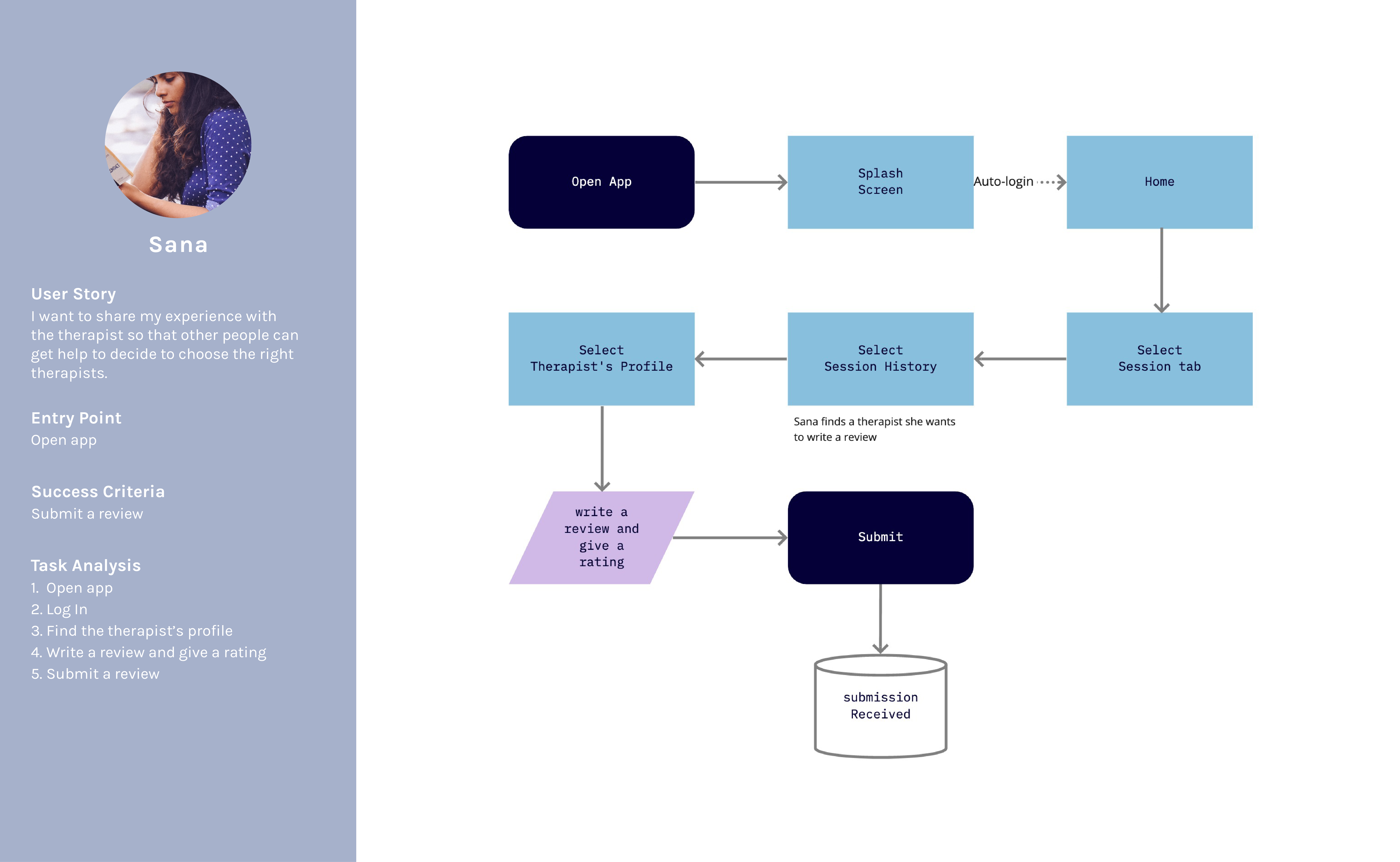
task flows
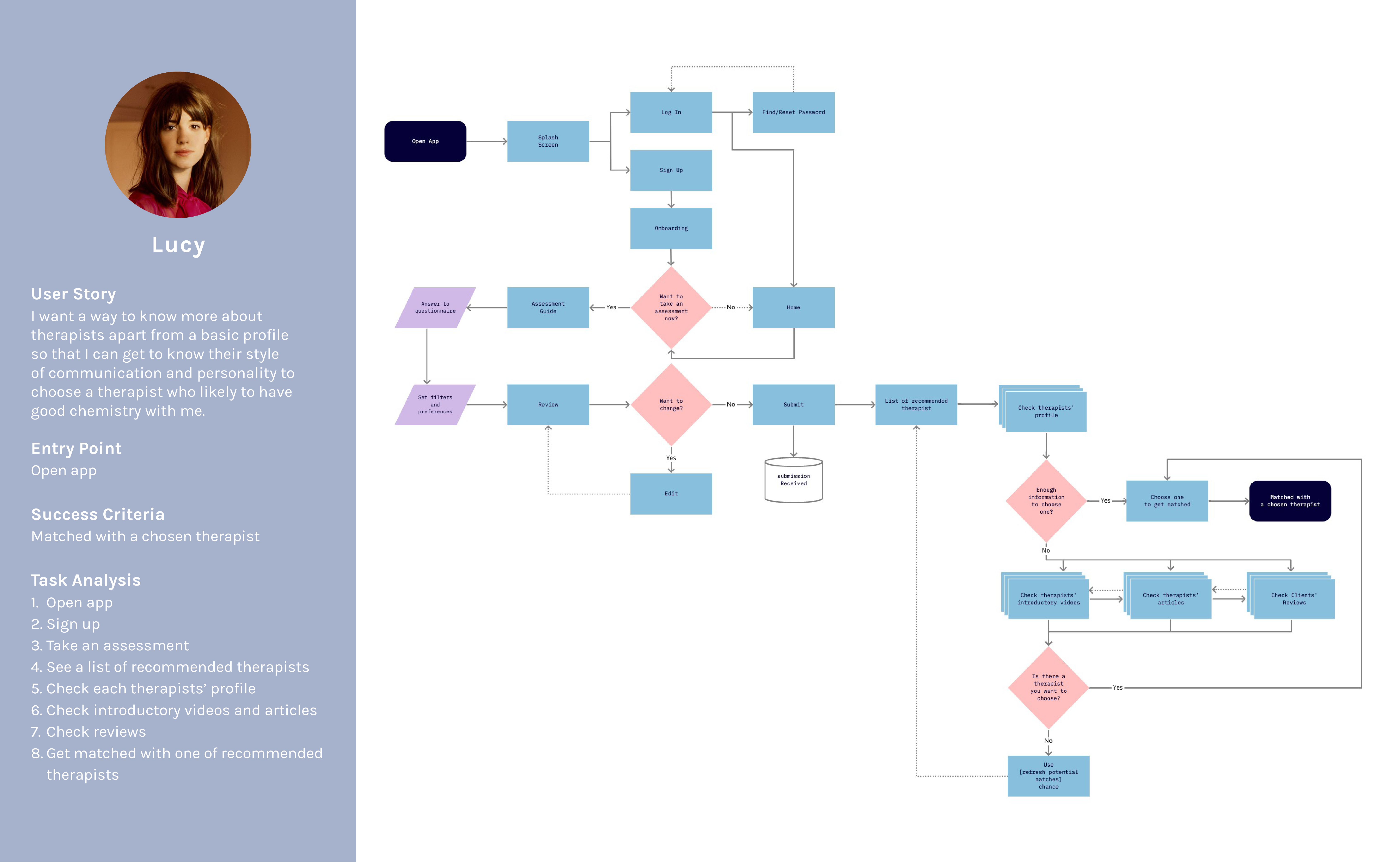
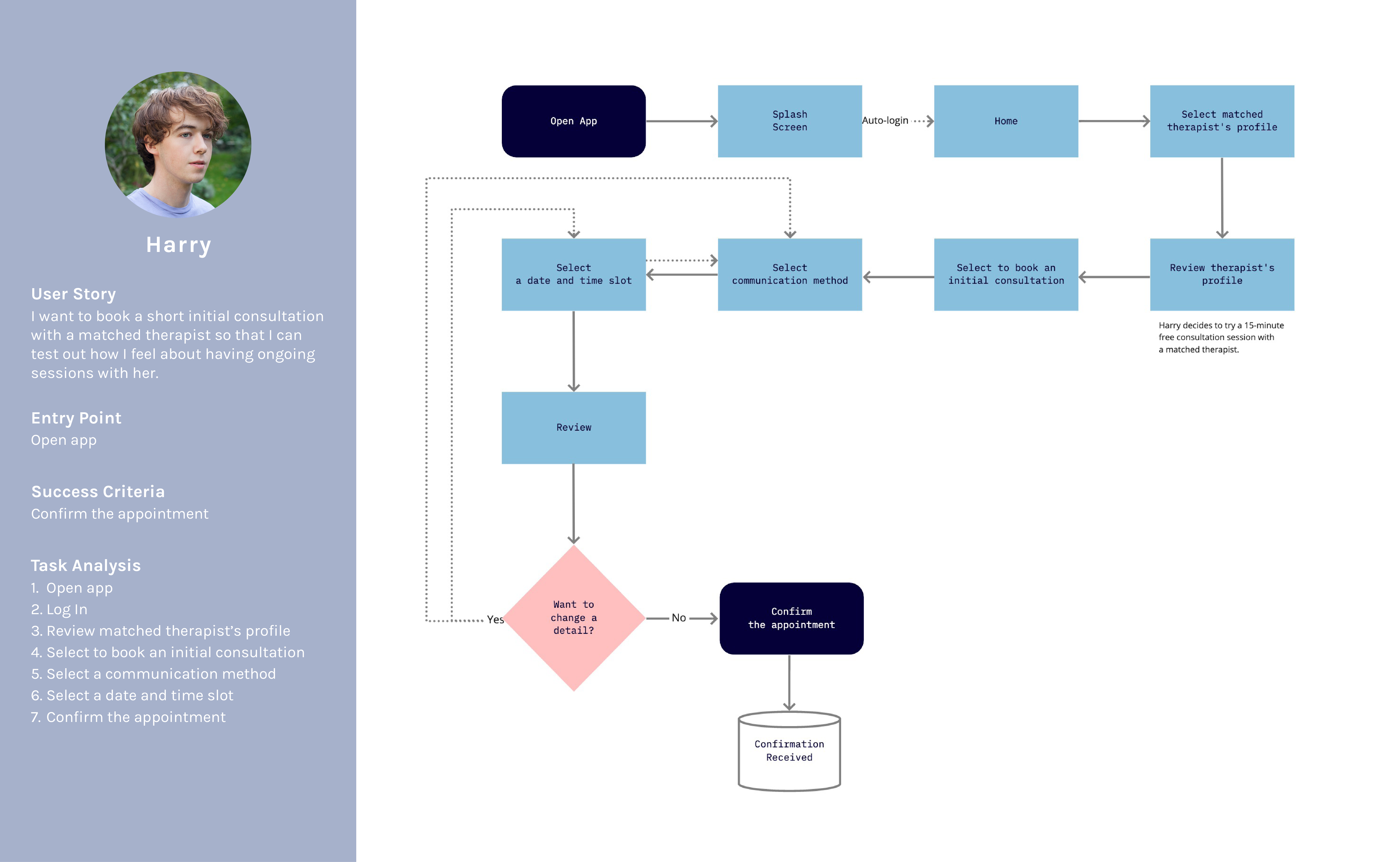
Before sketching out features, I created user flows from starting to task completion for each persona. Through this step, I could explore different processes of task logic to find the best flow for users to achieve their goals at minimum friction.
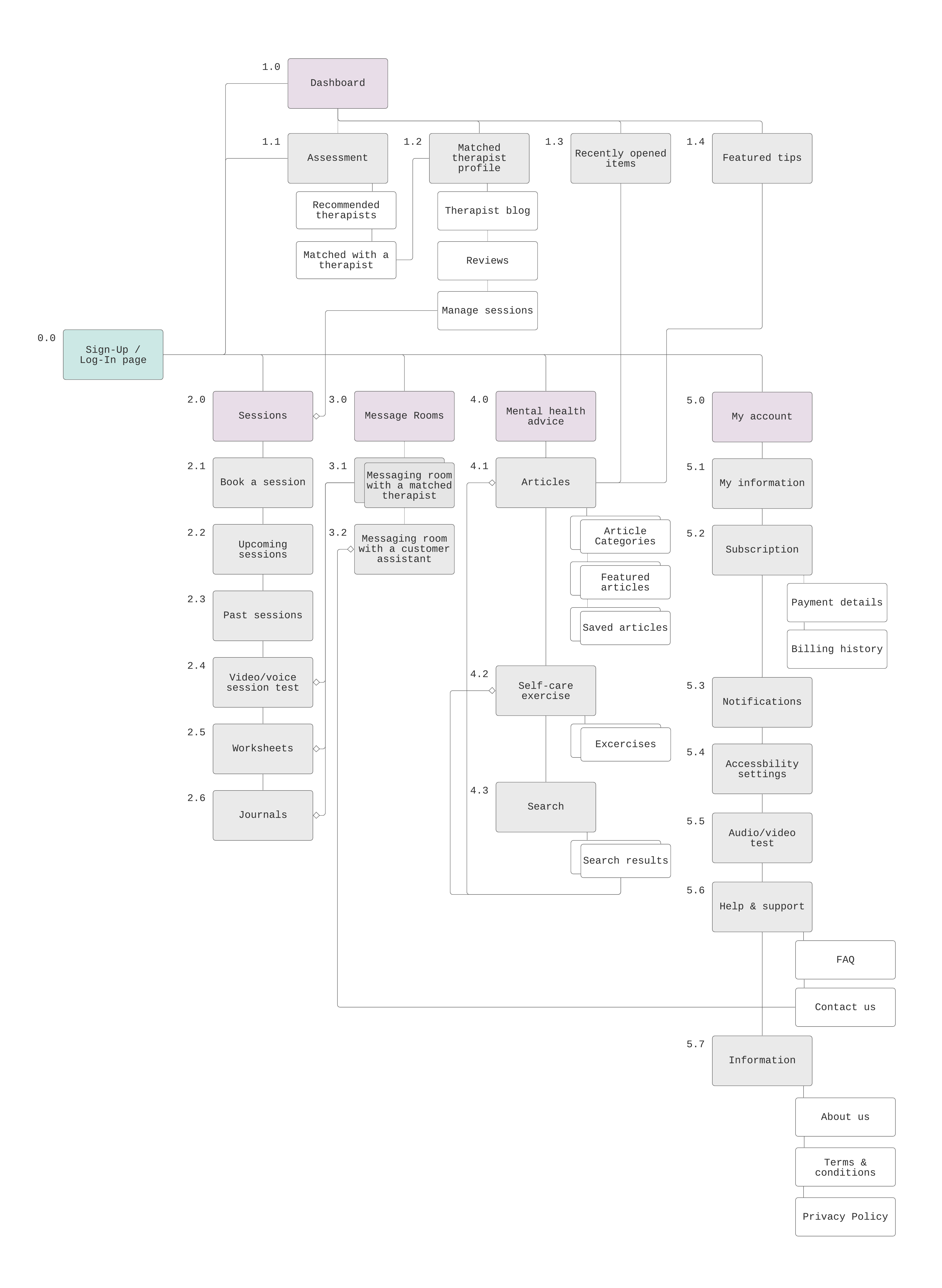
sitemap
Before translating task flows into sketch wireframes, I created a sitemap to outline how pages are laid out, connected, and given different hierarchy levels within the app. Then I evaluated the initial sitemap by conducting card sorting sessions and reorganised it to ensure the information architecture to be logical and user-friendly. It was an opportunity to examine the app's structure from a functional point of view. I tried to keep it as simple as possible to build upon it as the product evolves.

04 Prototype

low-fiDELITY wireframING
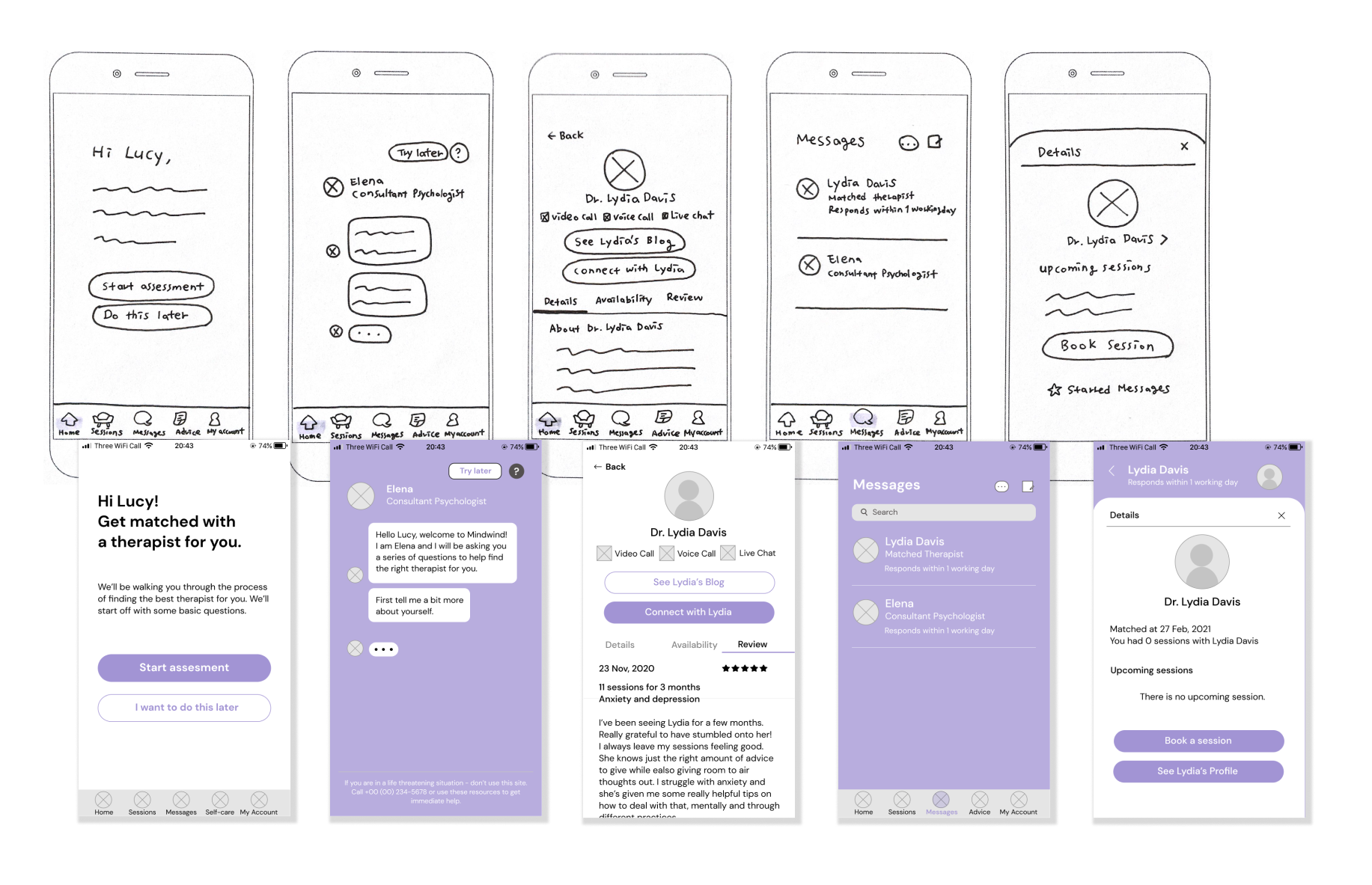
Informed by a refined sitemap, I hand-sketched a low fidelity prototype with pen and paper to quickly highlight the high-level functionality. As the first phase of prototyping, I focused on roughly sketching out multiple versions of each screen to come up with a better solution rather than perfecting a specific wireframe.
MID-fiDELITY PROTOTYPING
Based on the layout and elements picked up from low-fidelity wireframing, I started migrating my hand-sketched prototype into a digitally created mid-fidelity prototype, which portrays more detail. Then I developed it into a clickable high-fidelity prototype as an MVP, which I used for user testing at the next stage.
USer TESTING
After drafting a high-fidelity prototype, I conducted user testing sessions as a moderated remote study. The goal of this usability test was to assess the utility and usability of the app. I observed and measured if users understand the app, its value, and how to complete basic functions such as signing up and navigating and core functions such as connecting with a therapist, booking a session, and messaging. The test includes assessing the completion rate to perform specific tasks and users' stress level while executing those tasks.

6 participants

moderated remote test
by video conferencing

15 to 50 minutes
for each session
After the user testing, I analysed 4 hours of recordings by affinity mapping and creating rainbow spreadsheets, recording behavioural patterns presented by participants and measuring the severity of the errors made during the sessions.
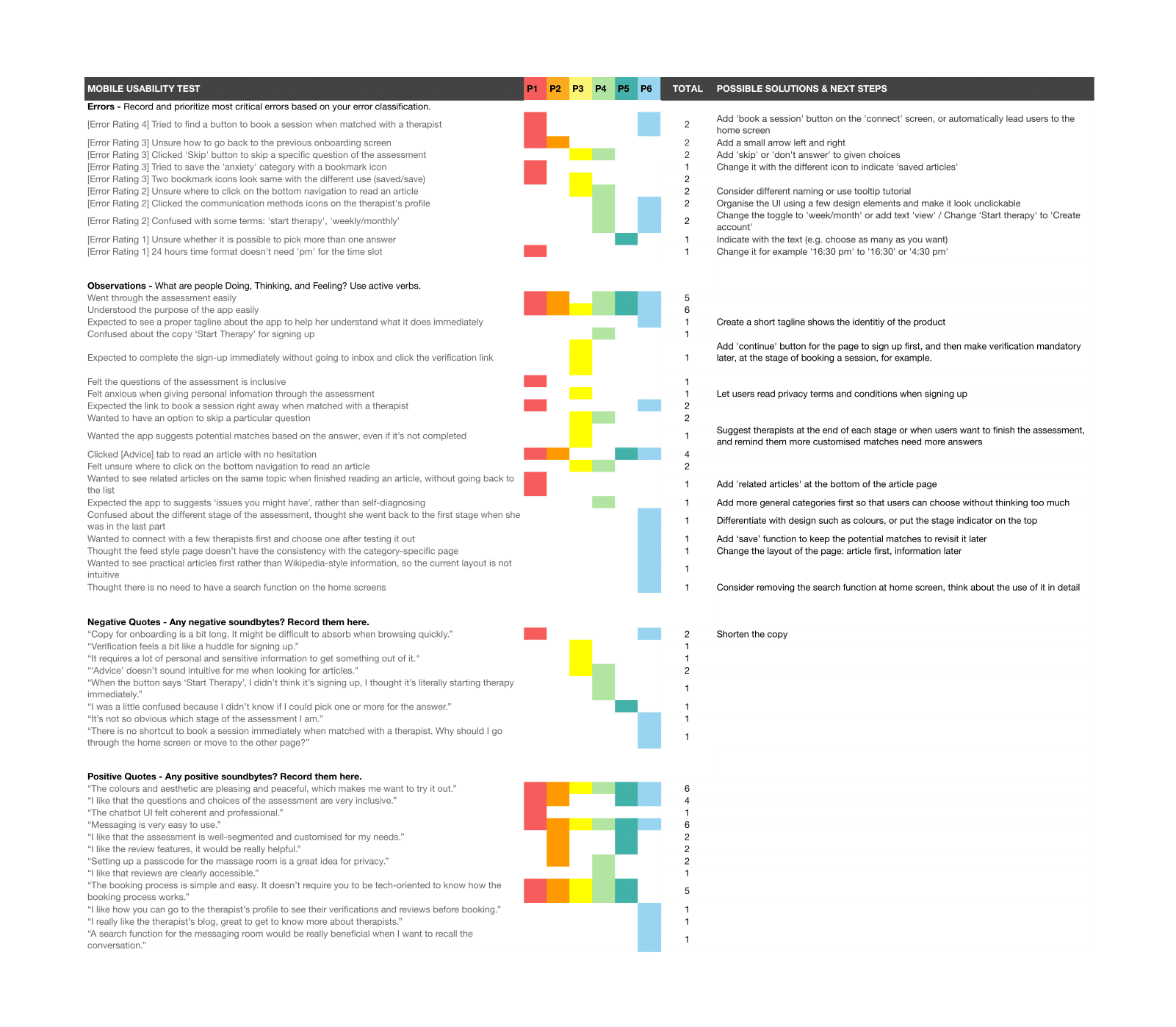
With this process, I discovered and prioritised 4 issues that need to be fixed for better usability.
Issue 01
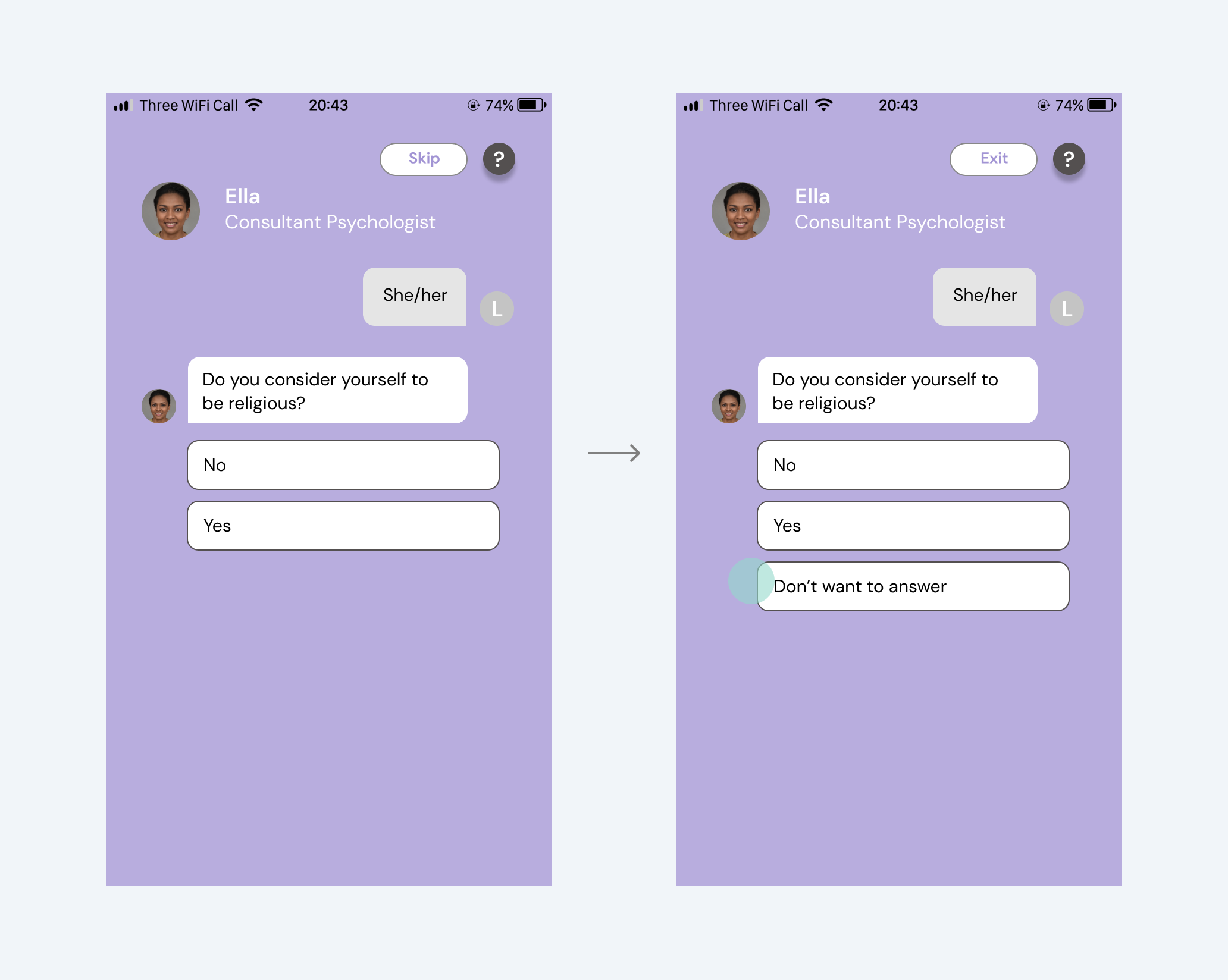
Users wanted to skip a specific question of the assessment.

They were stuck as they didn't want to answer specific questions but still wanted to run through the assessment. Another user misunderstood that the 'skip' button on the top means skipping a question, not an assessment.

Update
Added the 'Don't want to answer' option and renamed the 'Skip' button into 'Exit'. Providing an option to choose what to answer would give users more control for privacy.
Issue 02
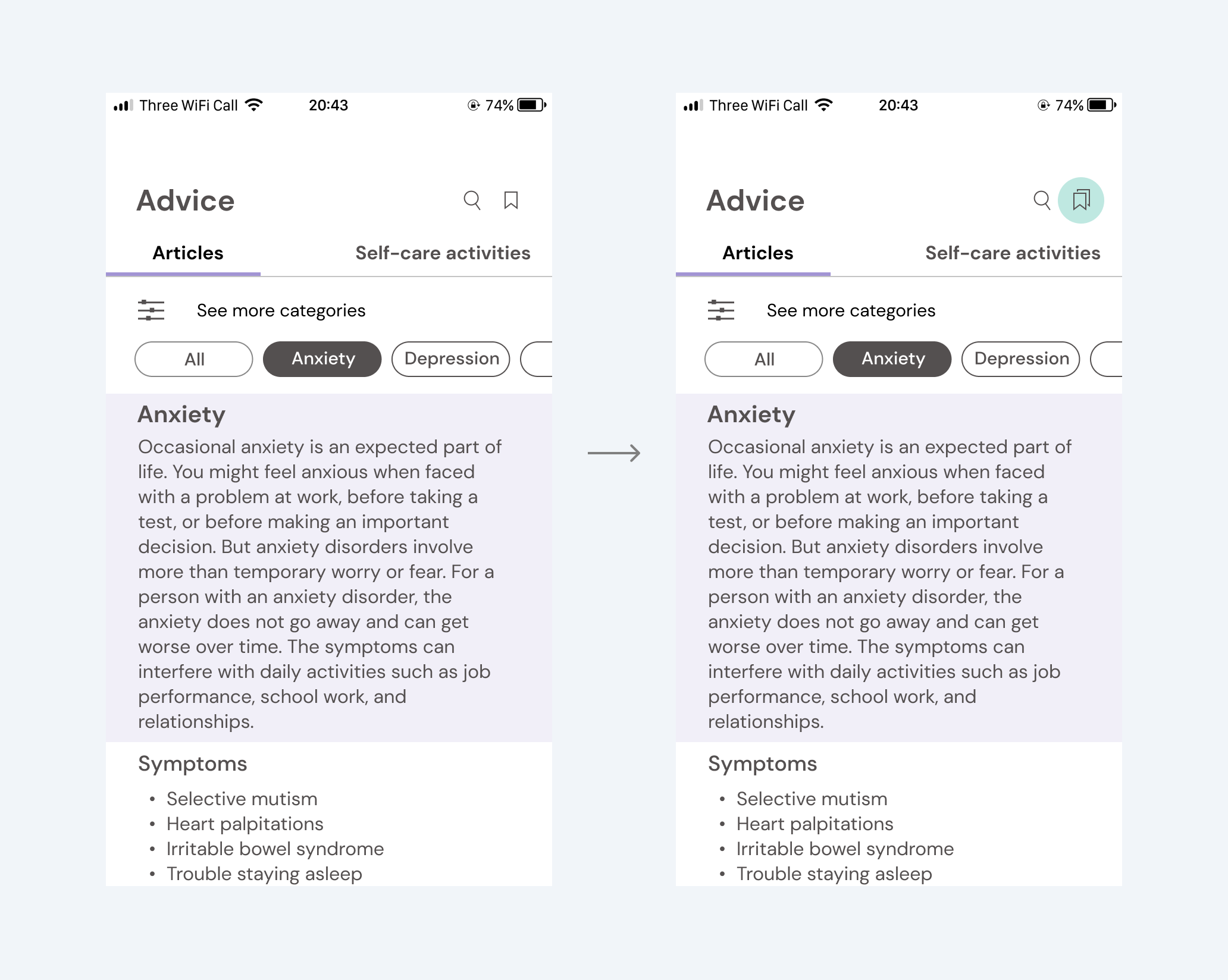
Two bookmark icons look the same yet function differently.

Users easily identified the bookmark icon and its use to save it for later when reading an article. But when they came back to the 'Advice' home screen, they were unsure about the same shaped icon there.

Update
Replaced the one for 'saved articles' with a stacked bookmarks icon to indicate another function.
Issue 03
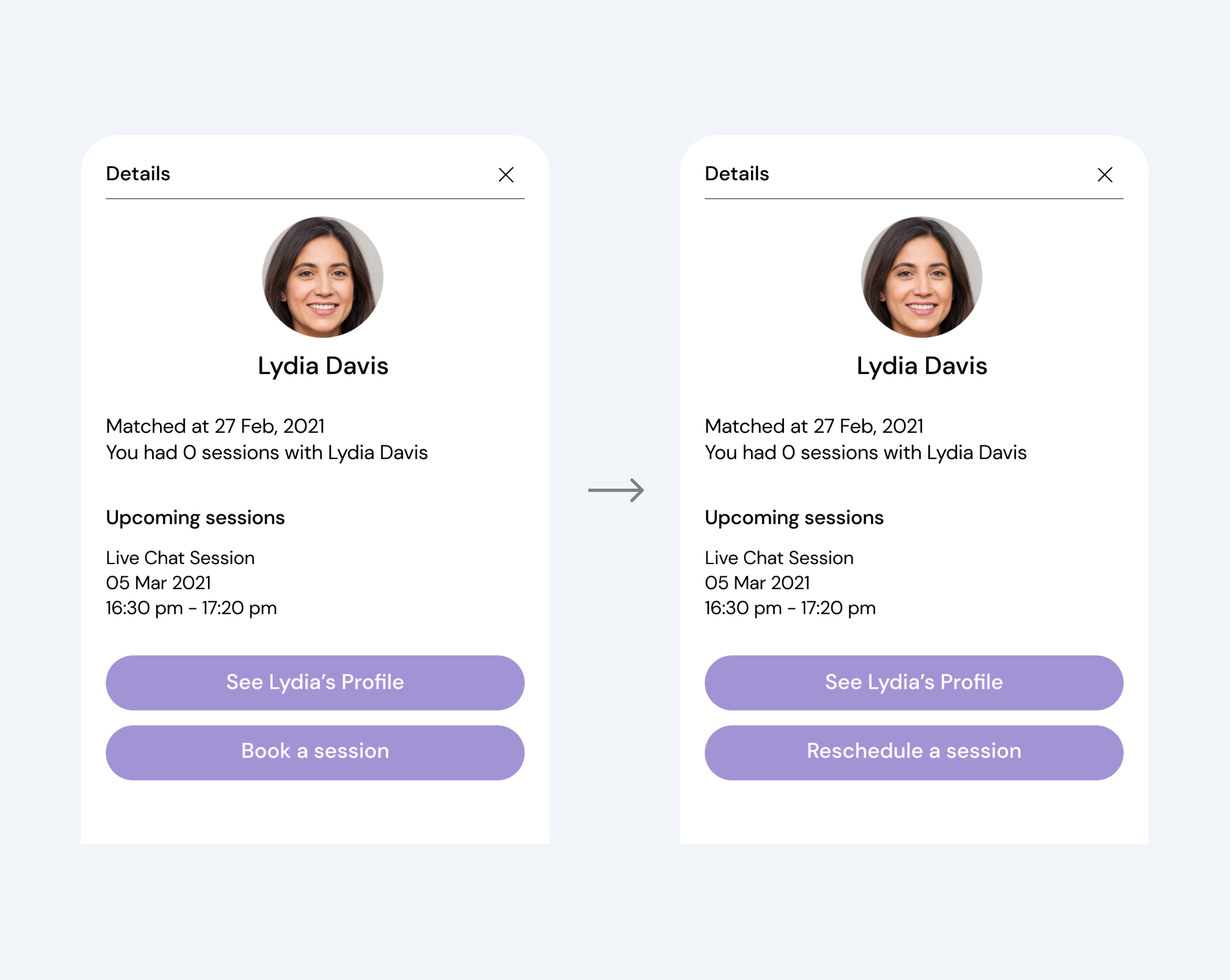
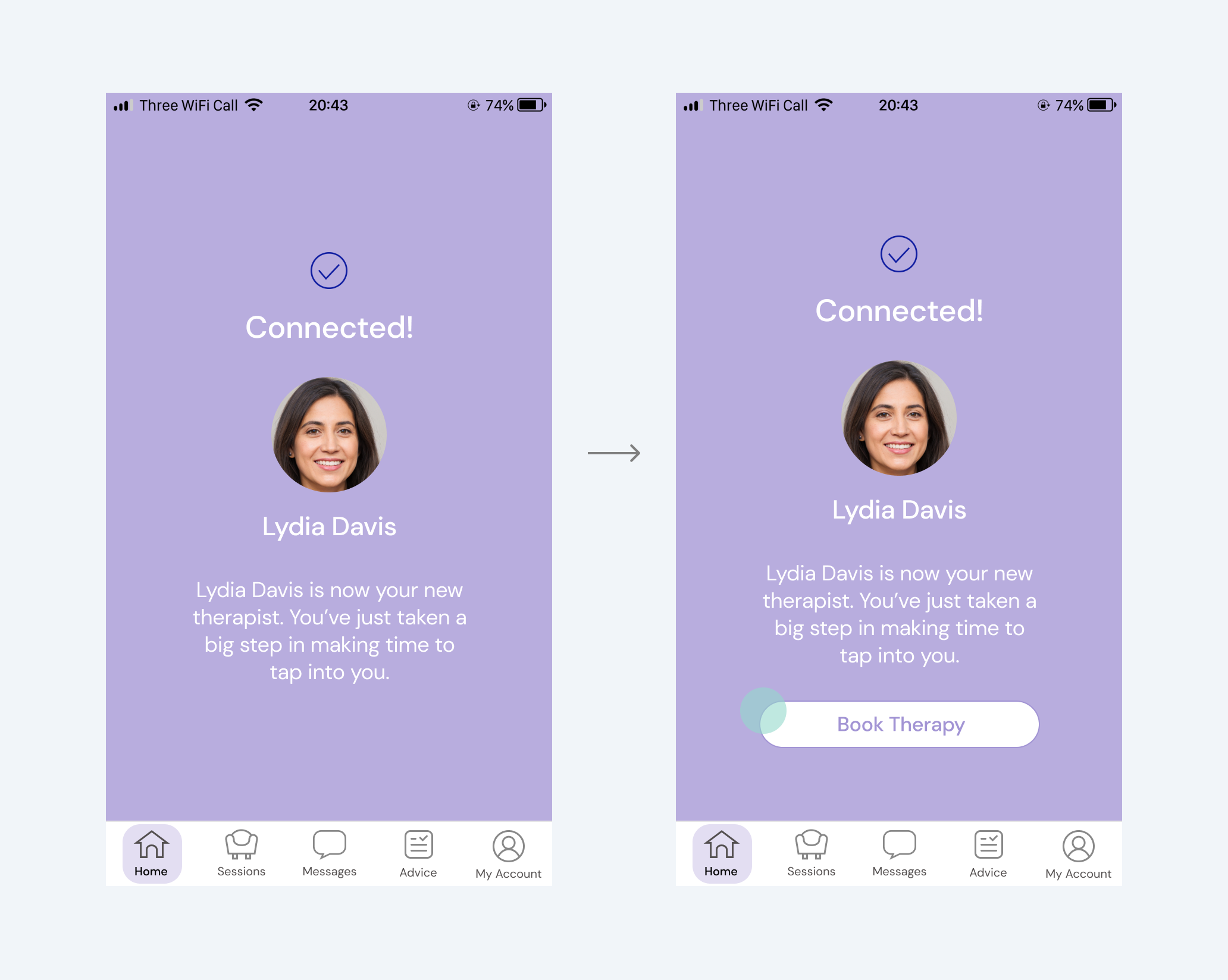
Users tried to find a 'book a session' button immediately after getting matched with a therapist.

A few were unsure where to go to book a session after matching with a therapist or wanted a shortcut to book without going through any other page.

Update
Added the 'book a session' button on a therapist match screen to serve this need. If they don't click this button, it will automatically lead users to the home screen in a few seconds, showing a modal with the therapist profile and the' book a session' button.
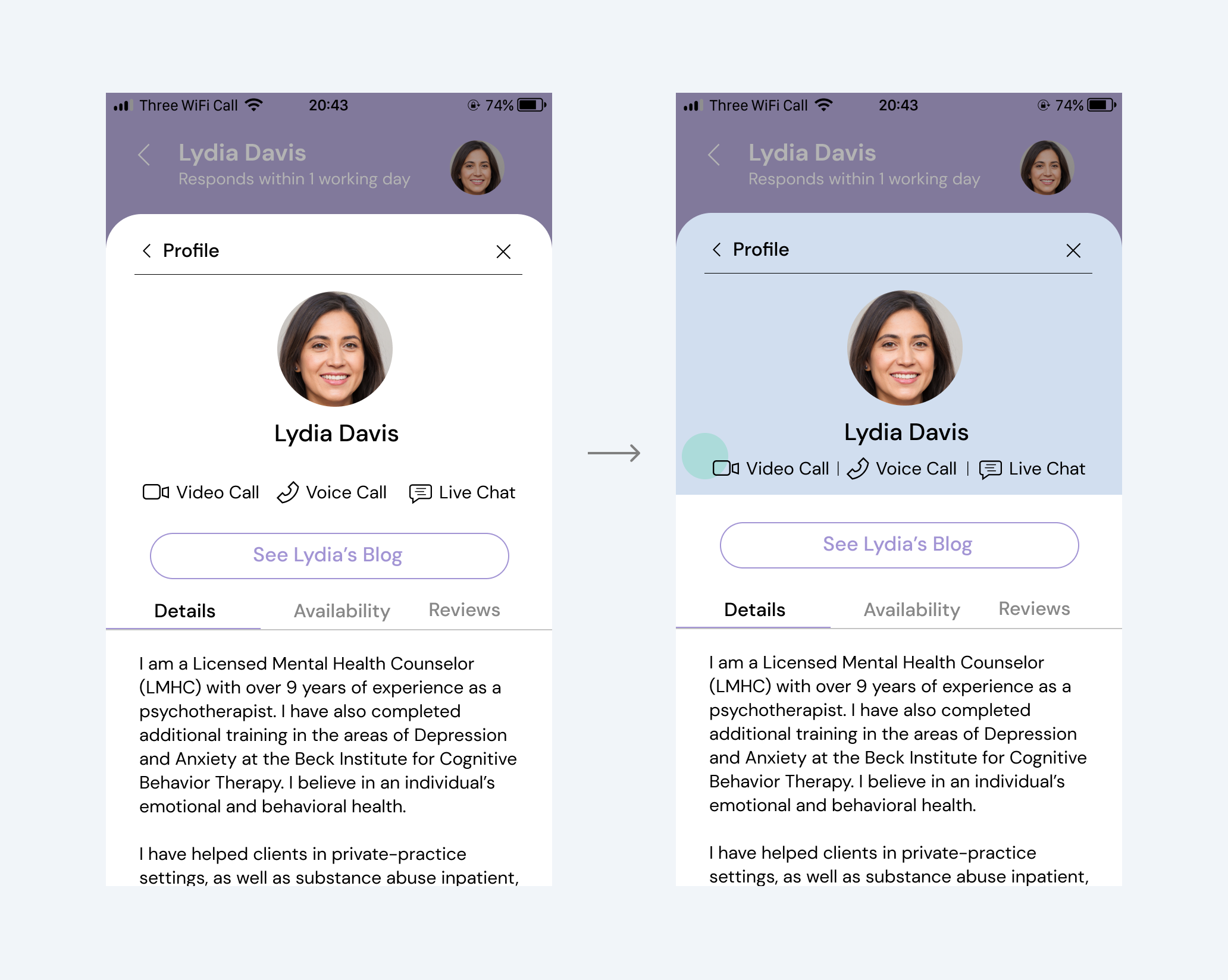
Issue 04
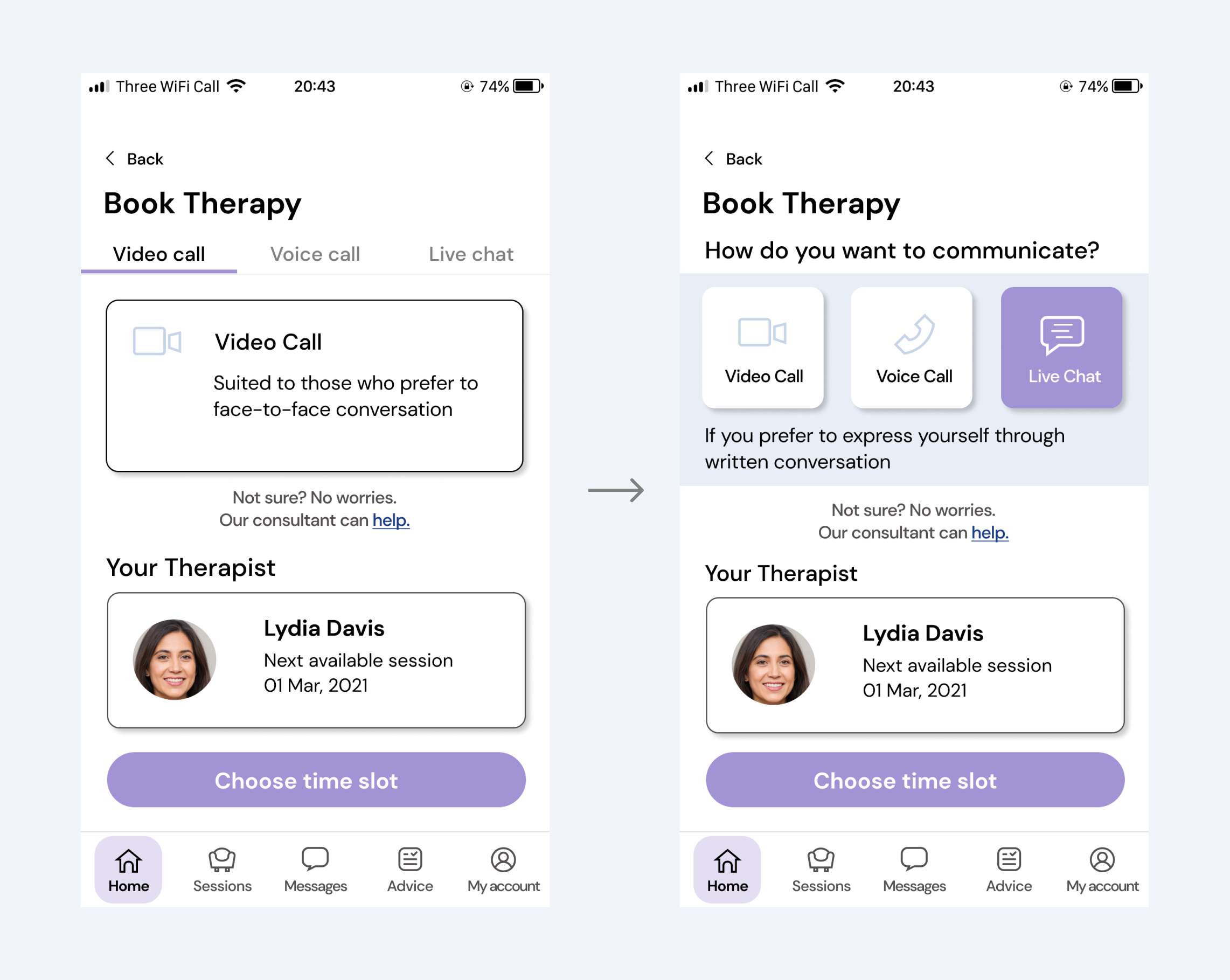
Users recognised communication method icons as clickable.

Therapist profile pages show three different communication methods that the therapist is available for.

Update
To make this element look clearly non-clickable, I implemented the layout using a colour block, vertical line and spacing so that it looks separated from CTA below.
05 Evaluate  

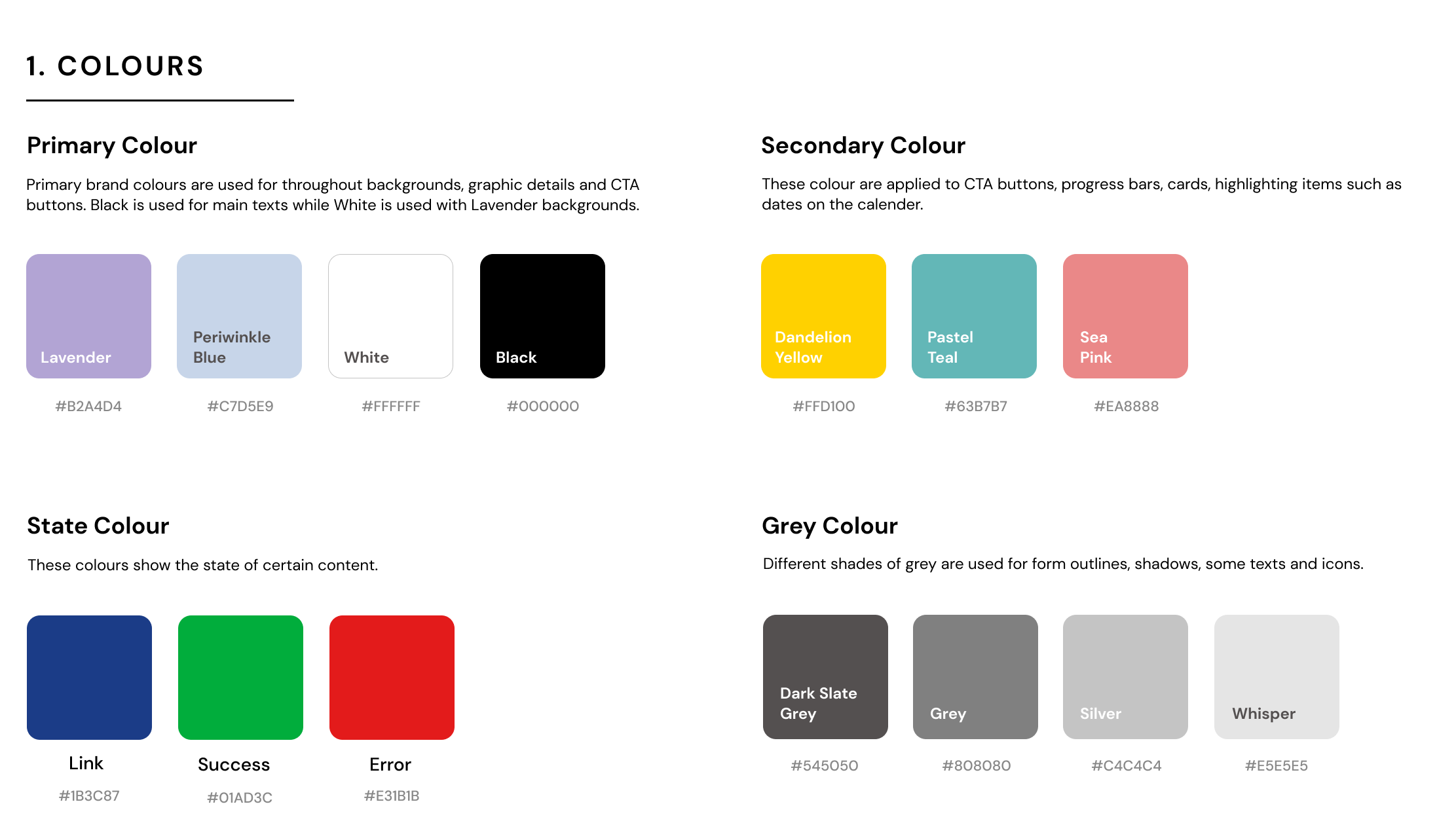
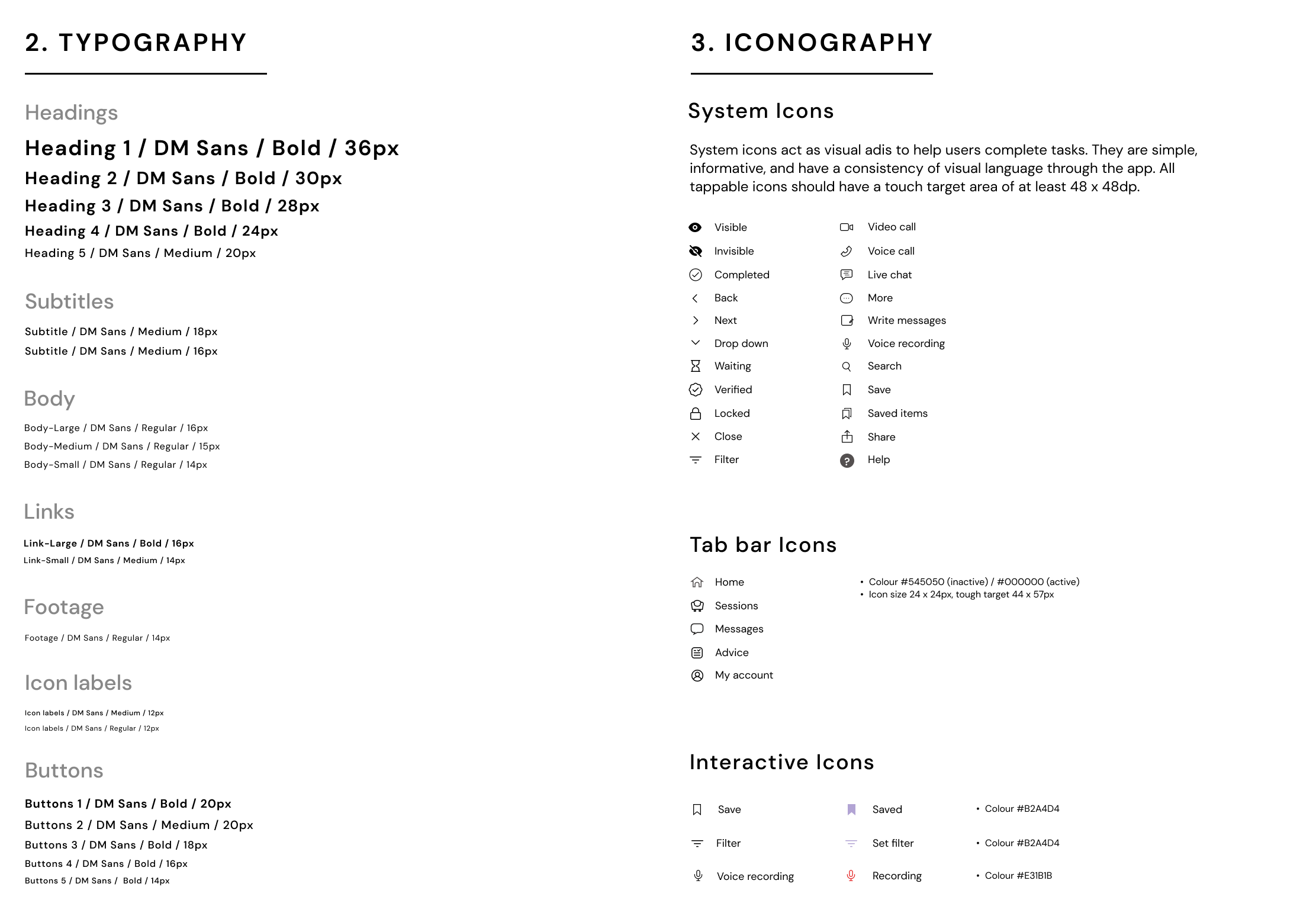
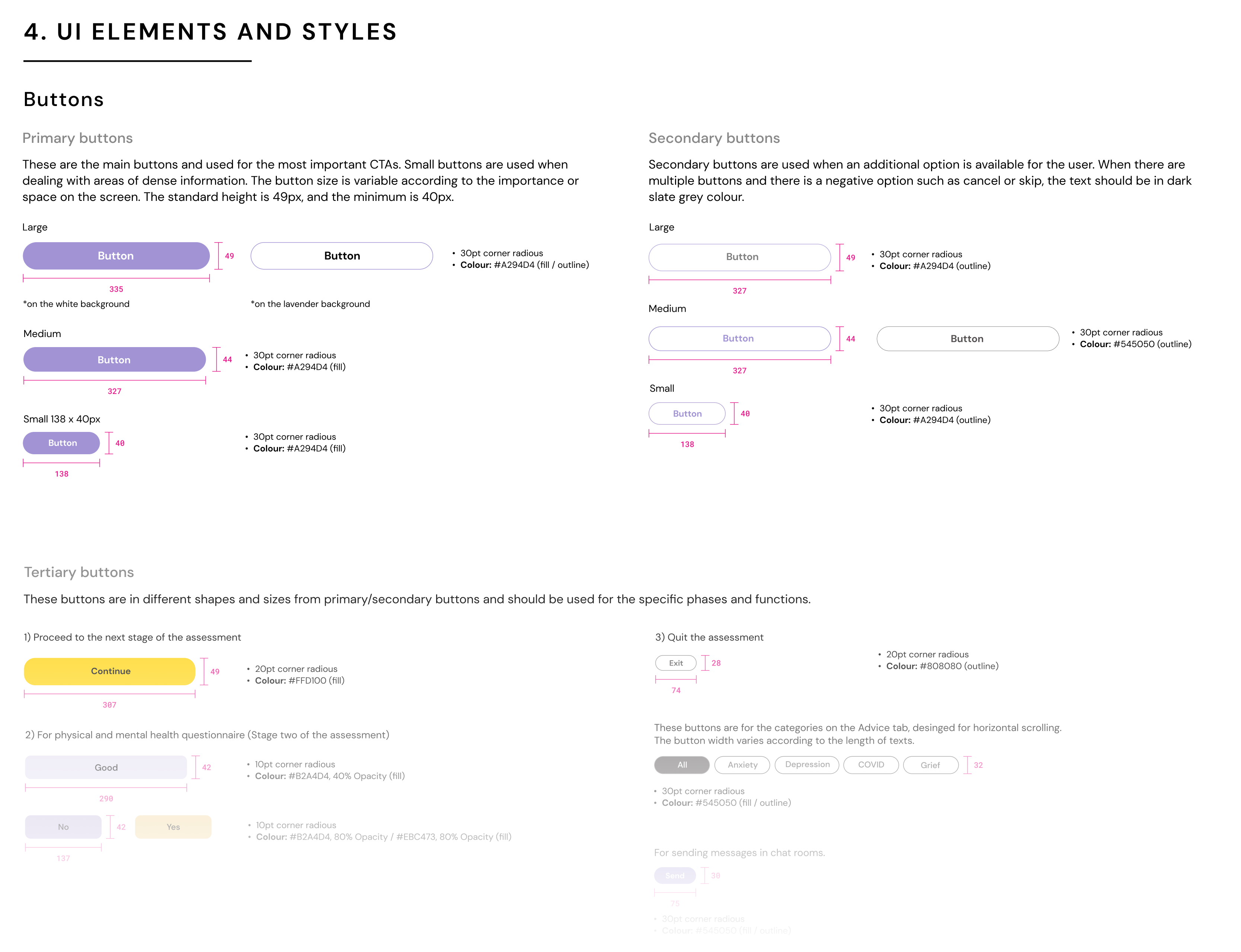
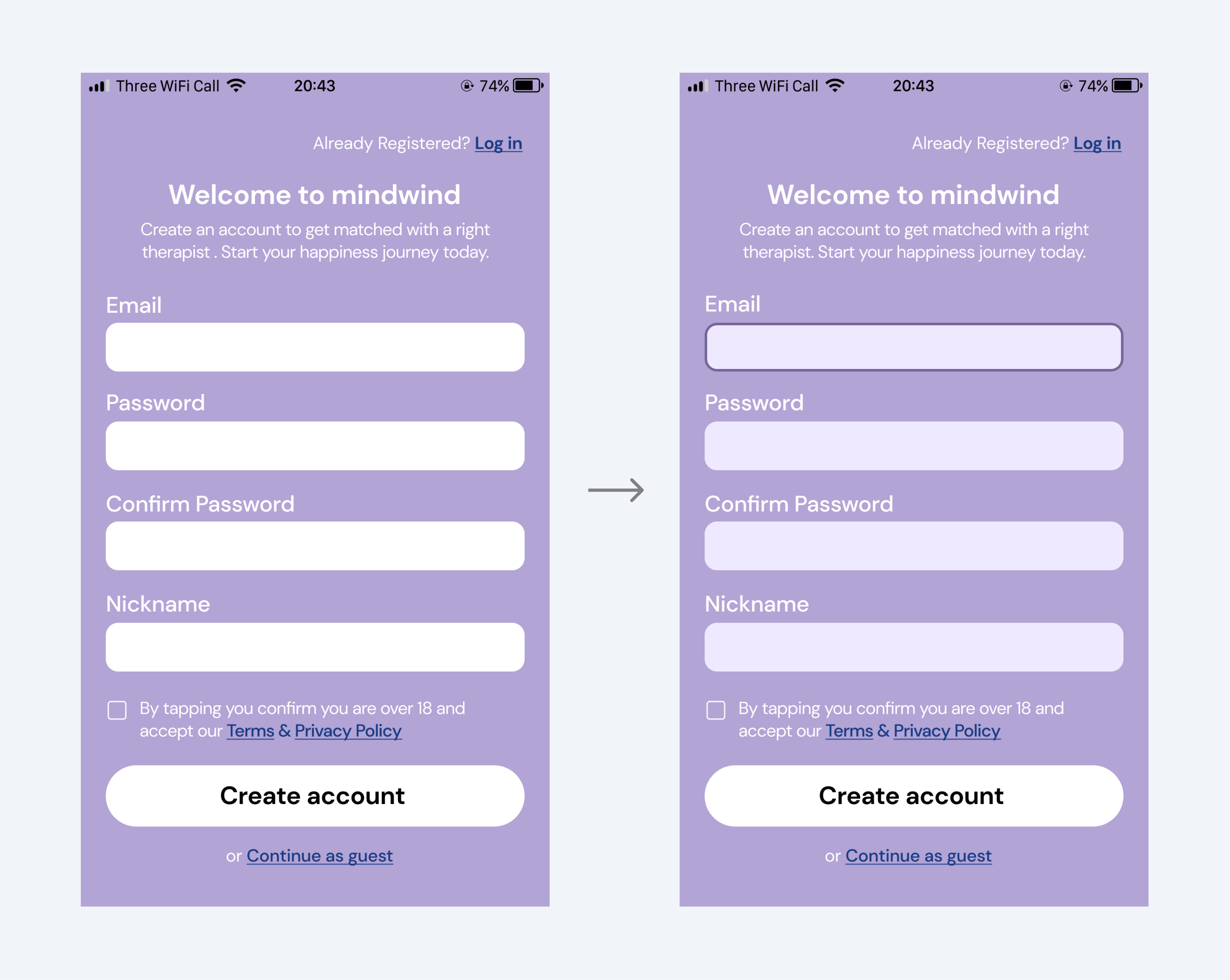
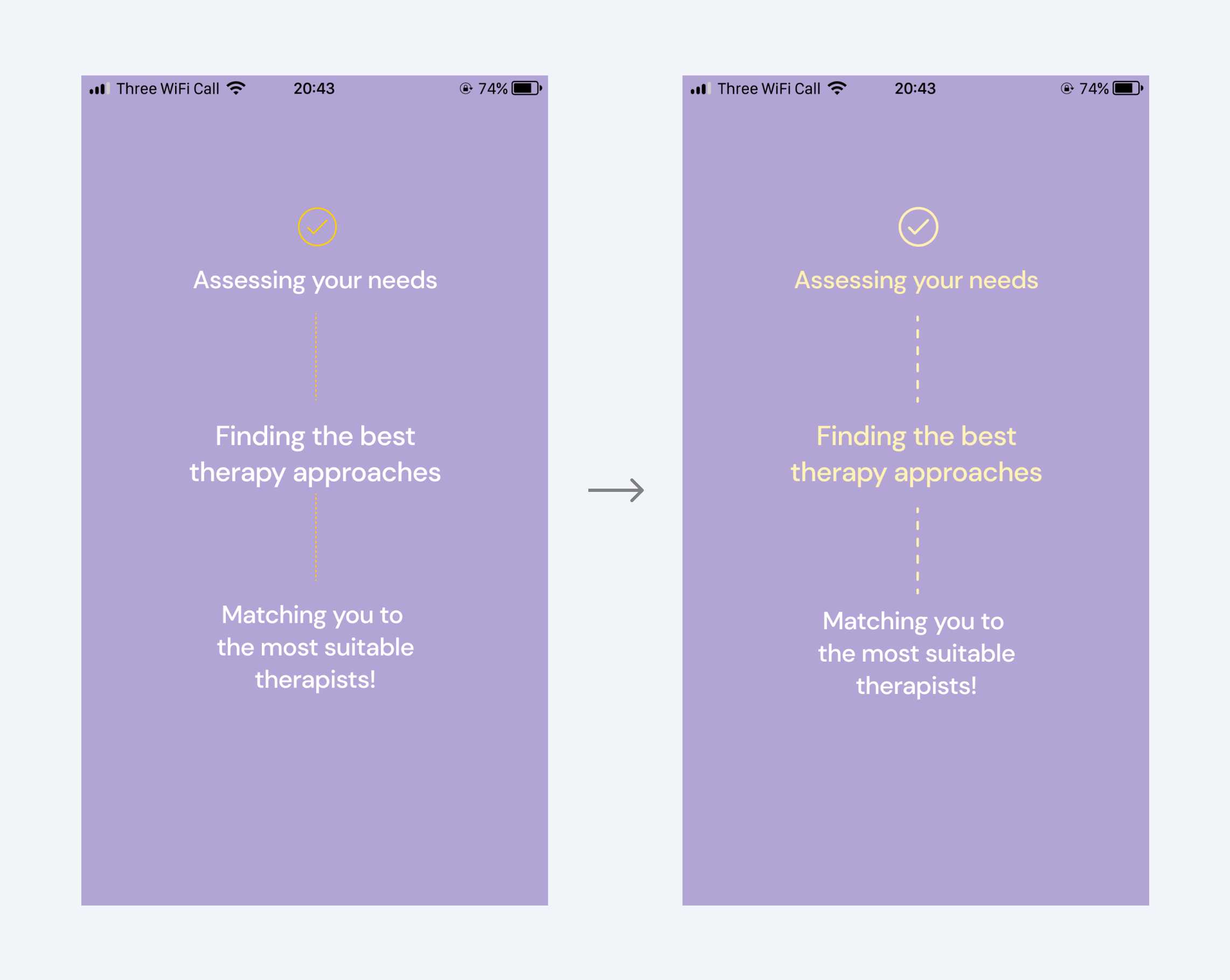
design system
The design system of Mindwind was created to document its visual identity and visual elements. It includes a library of components to allow designers to reuse them and developers to build them consistently. Following the guideline will ensure that Mindwind's brand standards are upheld and that there is a consistent brand experience.
VIEW FULL DESIGN SYSTEM
design collaboration
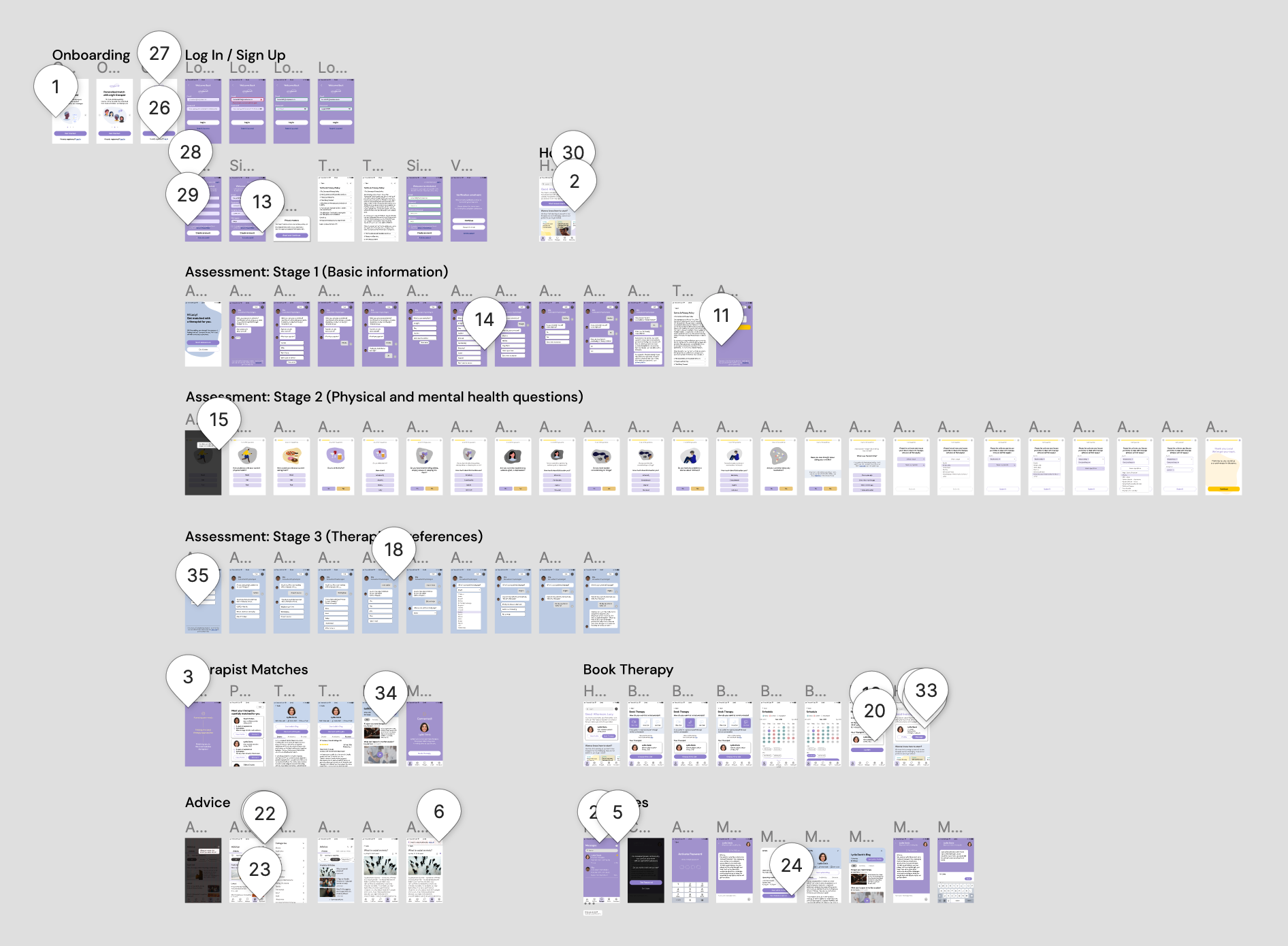
After iterations, I asked three fellow designers to run through the prototype and leave comments on the usability, look and feel, and any aspect they have feedback about. With the feedback received, I made final changes and created a clickable prototype.

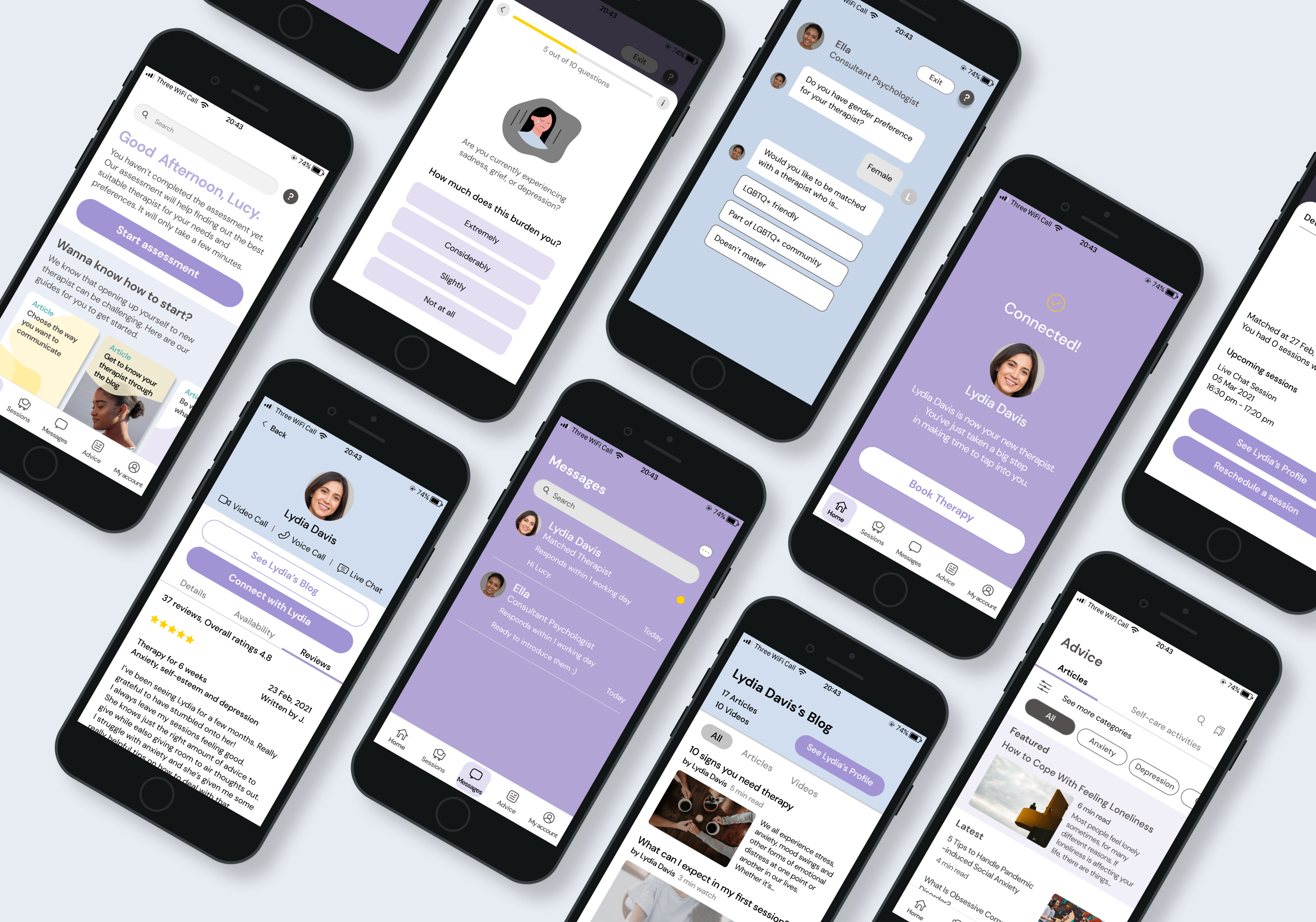
The Solution: Mindwind

VIEW PROTOTYPE
NEXT STEPS
Design secondary features and reiterate core features.
Consolidate accessibility according to guidelines.
Develop design system and tone of voice.
Test, gather feedback and iterate.
learnings
The importance of qualitative user interviews. Hours of candid conversations shed light on which problems to solve and provided clues as to how to solve those problems. Listening to real-life struggles allowed for more empathy between myself and users, giving the project an invaluable boost in terms of understanding and immersion.

UX writing matters more than it sounds. Setting up the right tone of voice has the potential to improve the overall user experience significantly. Since mental health is a sensitive topic, it was vital to create an atmosphere in which users feel comfortable, gently introducing them to the app with light greetings before diving in more deeply. UX writing then plays as critical a role both in emotional and functional design, as UX design itself.

Keep testing; avoiding bias. There were a few changes to be made after user testing, which I couldn’t have anticipated. Observing real-life interactions between users and the product ultimately helped overcome cognitive bias and remove bias from personal opinion. It is clear then that testing should be thorough and ongoing during a product’s development cycle.
JUMP TO THE TOP
THANKS FOR READING :)